See the full workflow, end to end.
From workspace setup through to signed-off disclosures. Eight sections, about five minutes. Every example below is calculated with the same engine the app uses in production.
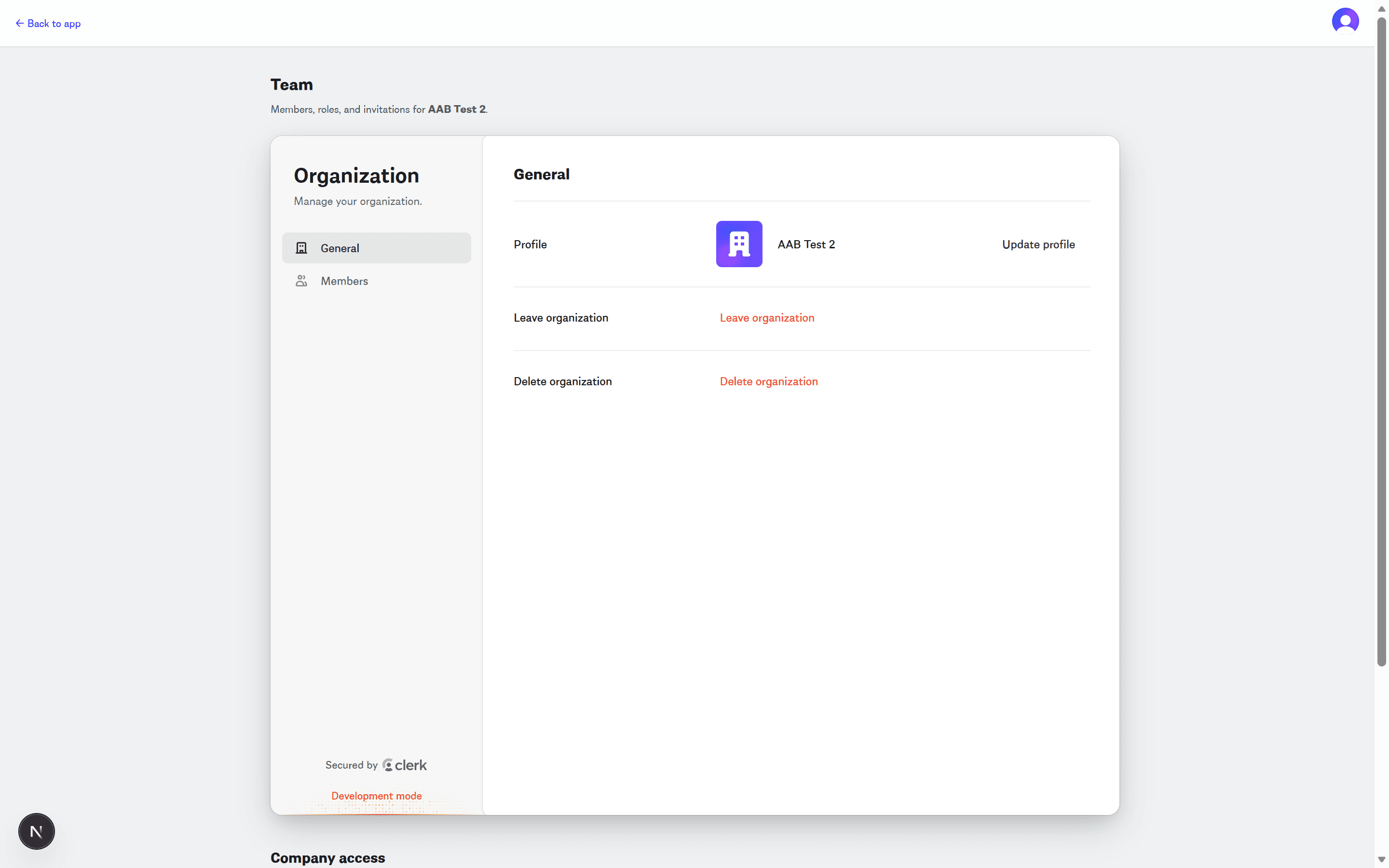
Owners, editors, viewers — with fine-grained capabilities.
Each workspace is isolated: its own groups, companies, leases, FX rates, and activity log. Invite your team with owner, editor, or viewer roles; restrict editors to specific companies when you need to.
Two capabilities toggle independently of the role itself — manage members and can close period — so a subsidiary controller can post journals but can't close a month or invite new users.
Model the real structure, not a flat list of leases.
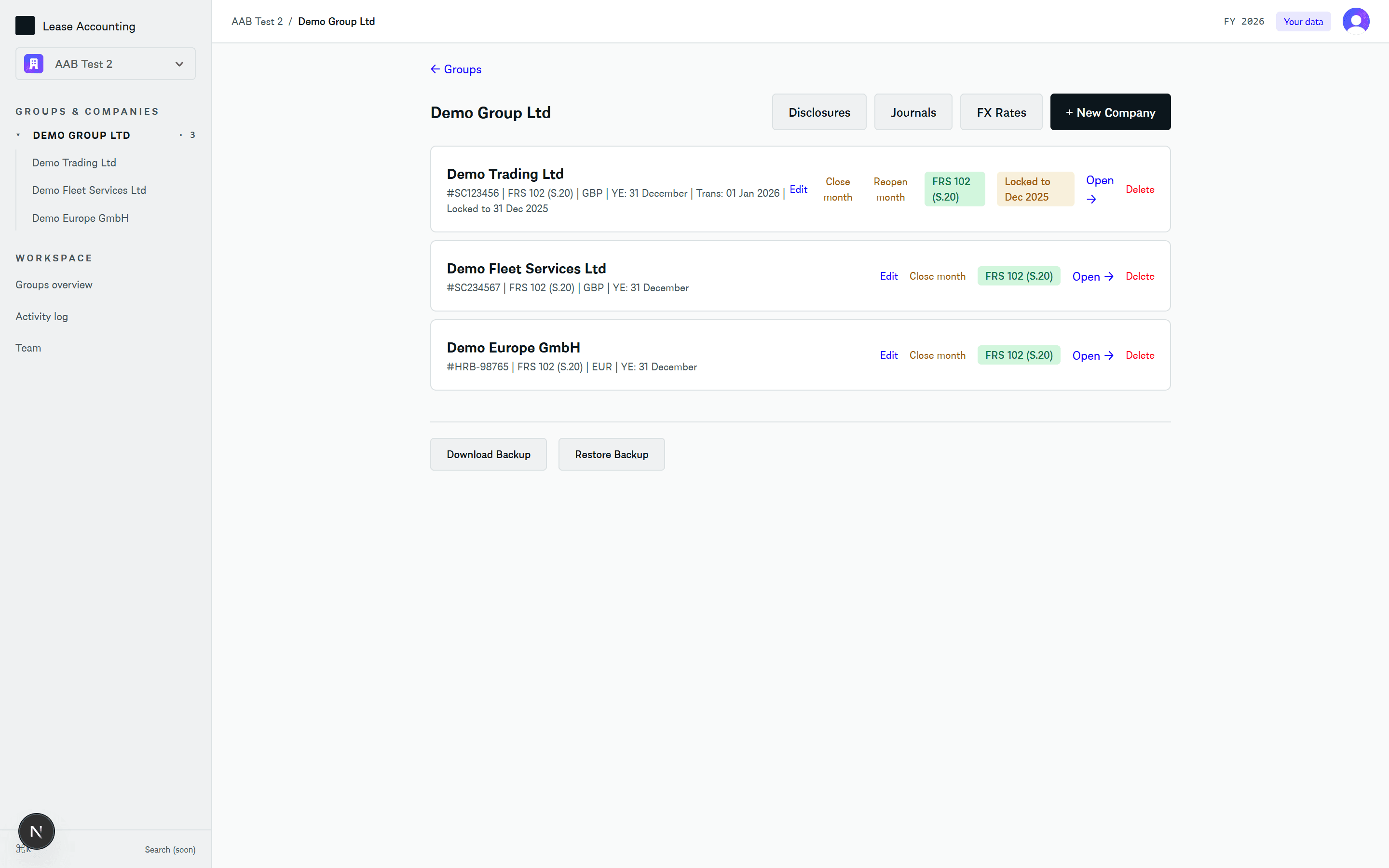
A group sets the reporting currency and year-end. Companies sit inside the group with their own framework (IFRS 16 or FRS 102), functional currency, transition date, and asset classes.
Period locks live on each company at month granularity. Once December 2025 is closed for a subsidiary, edits to that month require an audit-logged override. FX rates, consolidated disclosures, and group-level journals are all one click away.
Every lease in one place — with the totals that matter.
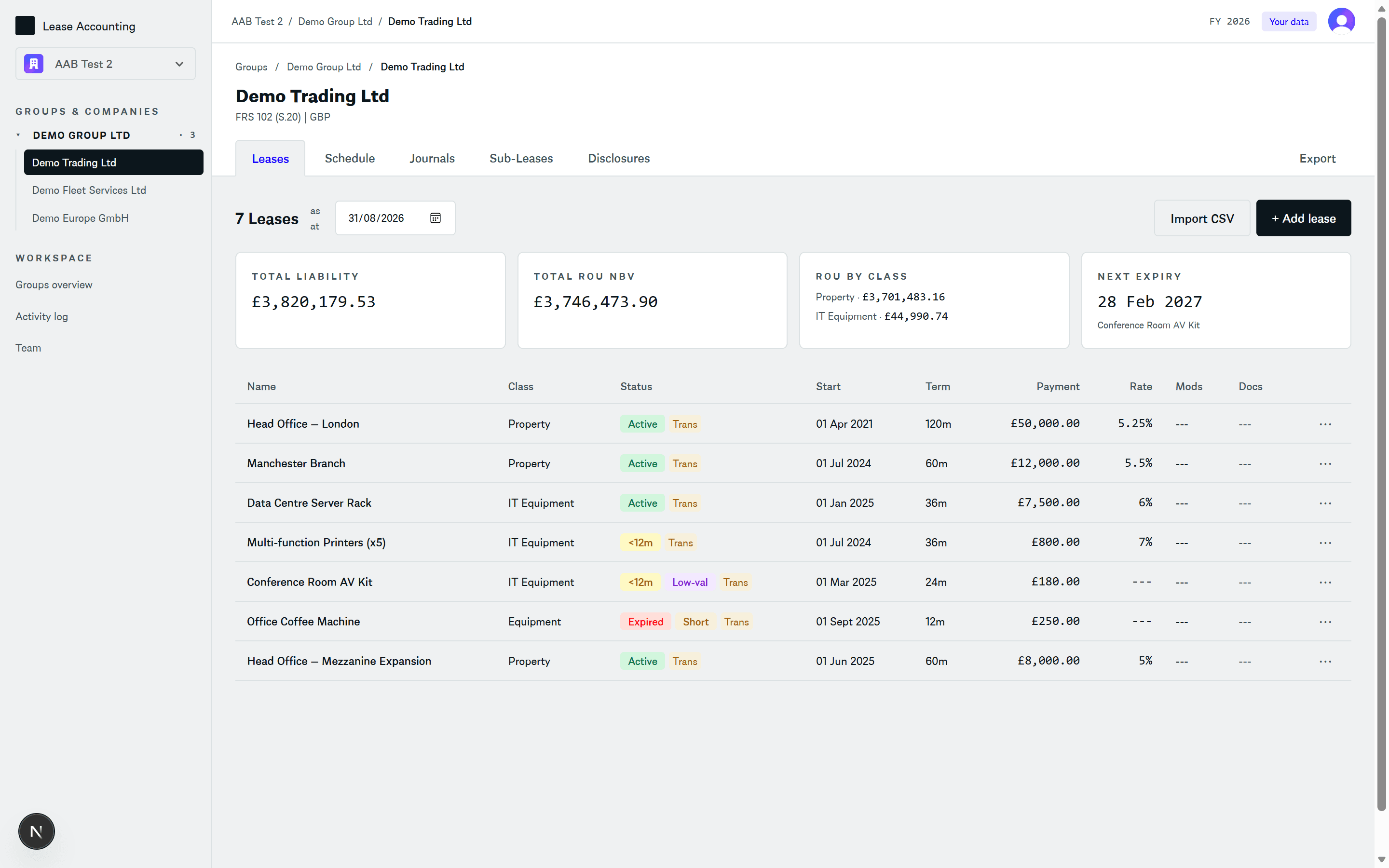
Five tabs per company: Portfolio, Schedule, Journals, Sub-leases, Disclosures. Summary tiles roll up total liability, total ROU, and the breakdown by asset class. Next expiry surfaces so you never miss a break date.
Short-term and low-value exempt leases are tagged and excluded from the balance sheet, but their expense still flows through to disclosures. Transition leases carry a Trans badge.
Transition, modifications, and FX — one continuous schedule.
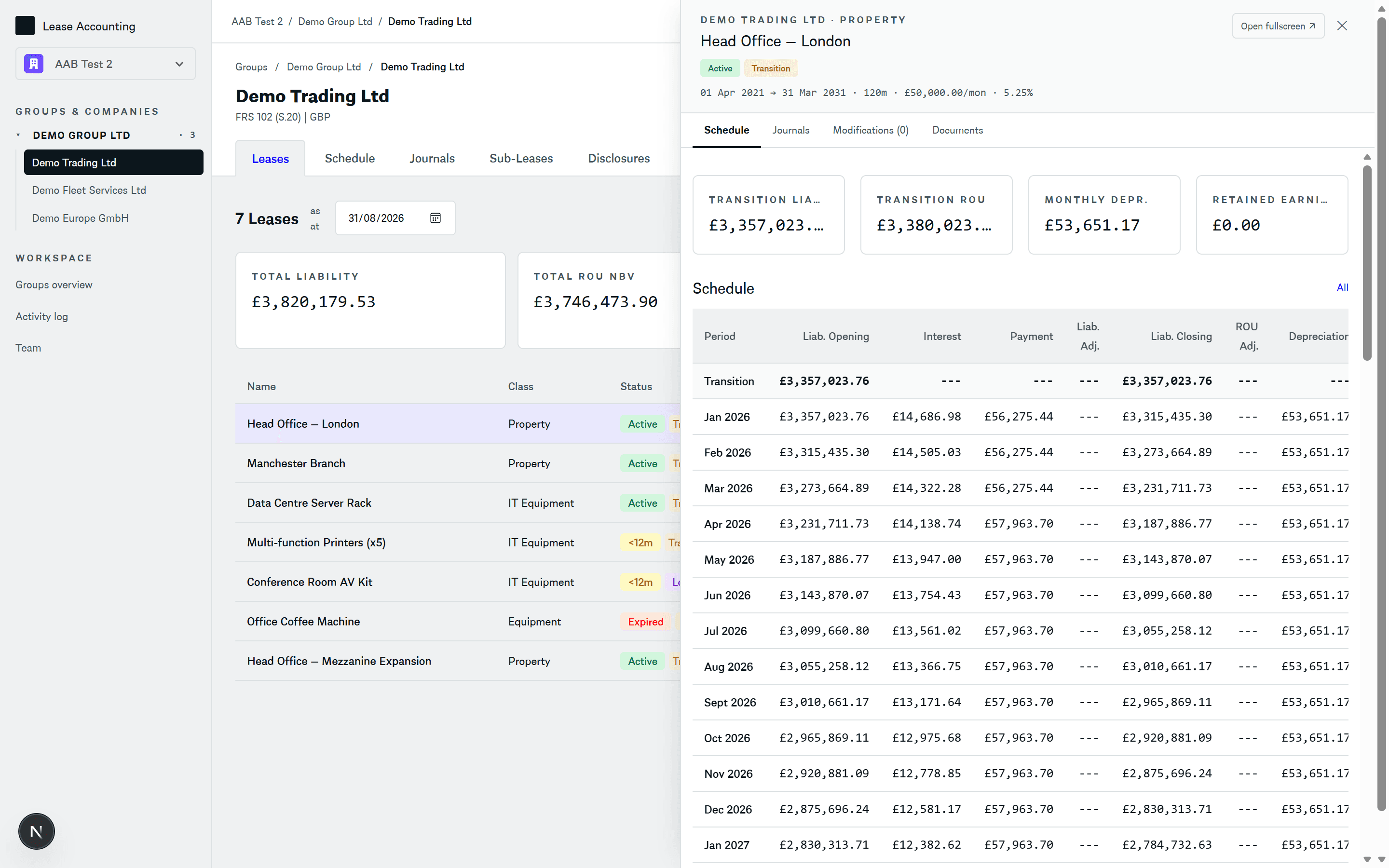
The engine handles FRS 102 Section 20 transition out of the box: opening liability is present-valued from the remaining payment stream at the transition date, and retained earnings flow through automatically as a separate tile.
Toggle between Original and Modified, between the lease currency and the company or group reporting currency, and between Key (summary rows) and All (every month). Modification rows appear inline in amber.
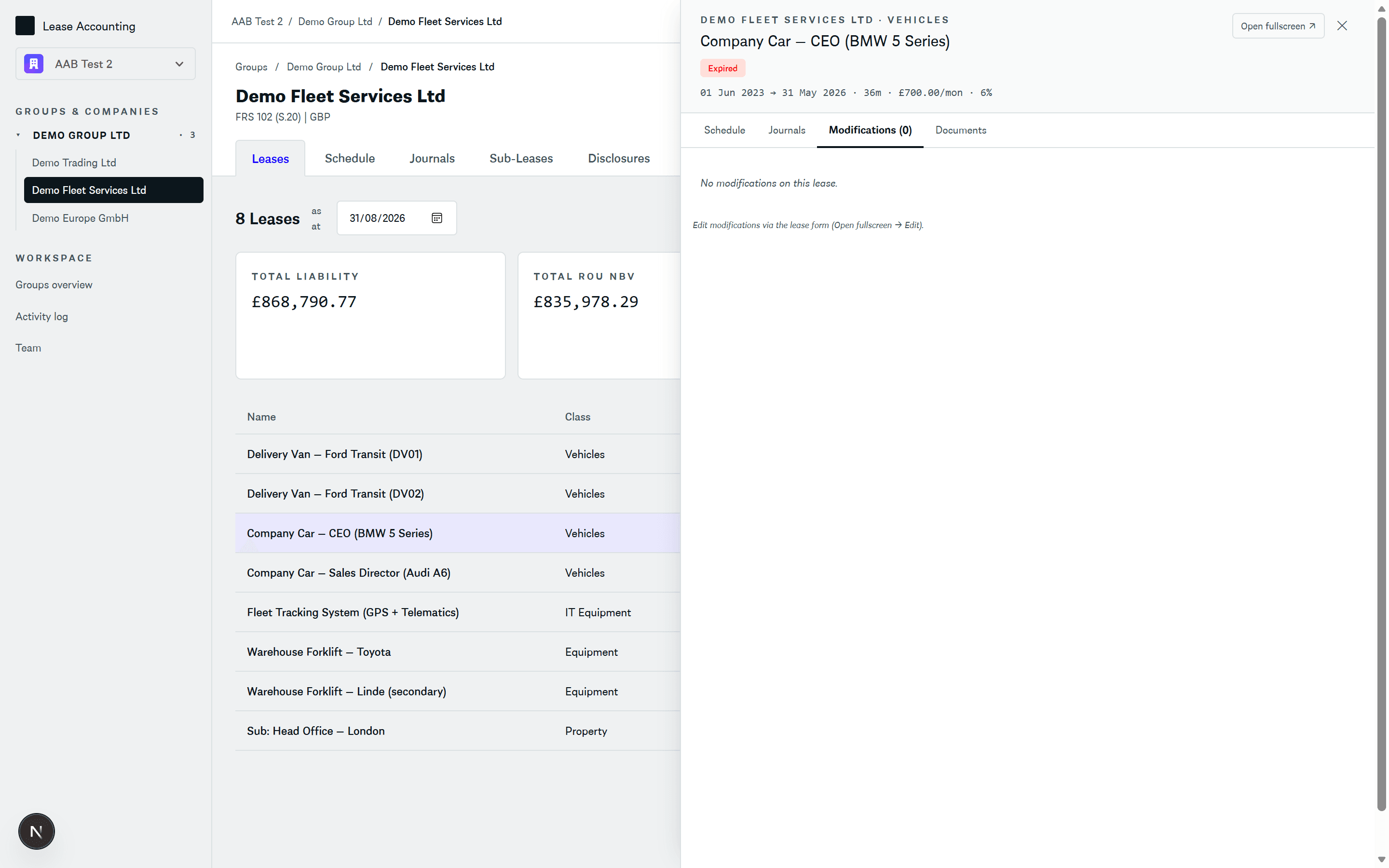
Seven modification types, one consistent form.
Pick the type and the form reveals just the fields that matter. Index-linked remeasurement uses the unchanged discount rate per IFRS 16.42(b). Partial termination prorates liability and ROU by percentage. Every modification carries a description, an effective date, and (where relevant) a first new payment date so mid-quarter changes land on the right month.
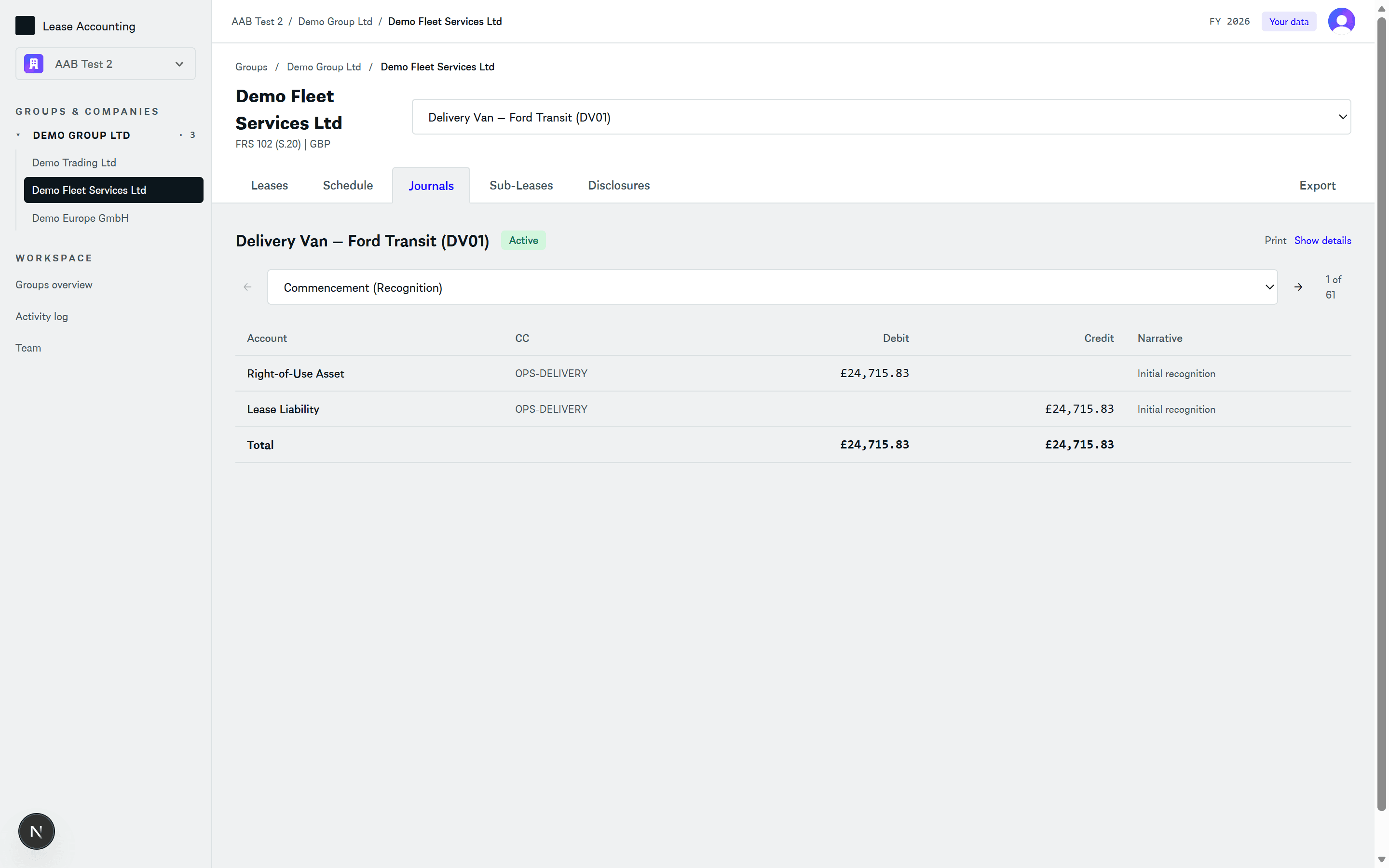
Double-entry postings, one period at a time.
Step through each active period with Previous / Next, or jump straight to a modification event from the dropdown. Every row shows the GL code, account name, cost centre, debit, credit, and narrative. Totals balance to the penny at the bottom.
Map the default account names to your own chart of accounts per company — or per asset class where ROU, depreciation, and accumulated depreciation need separating out.
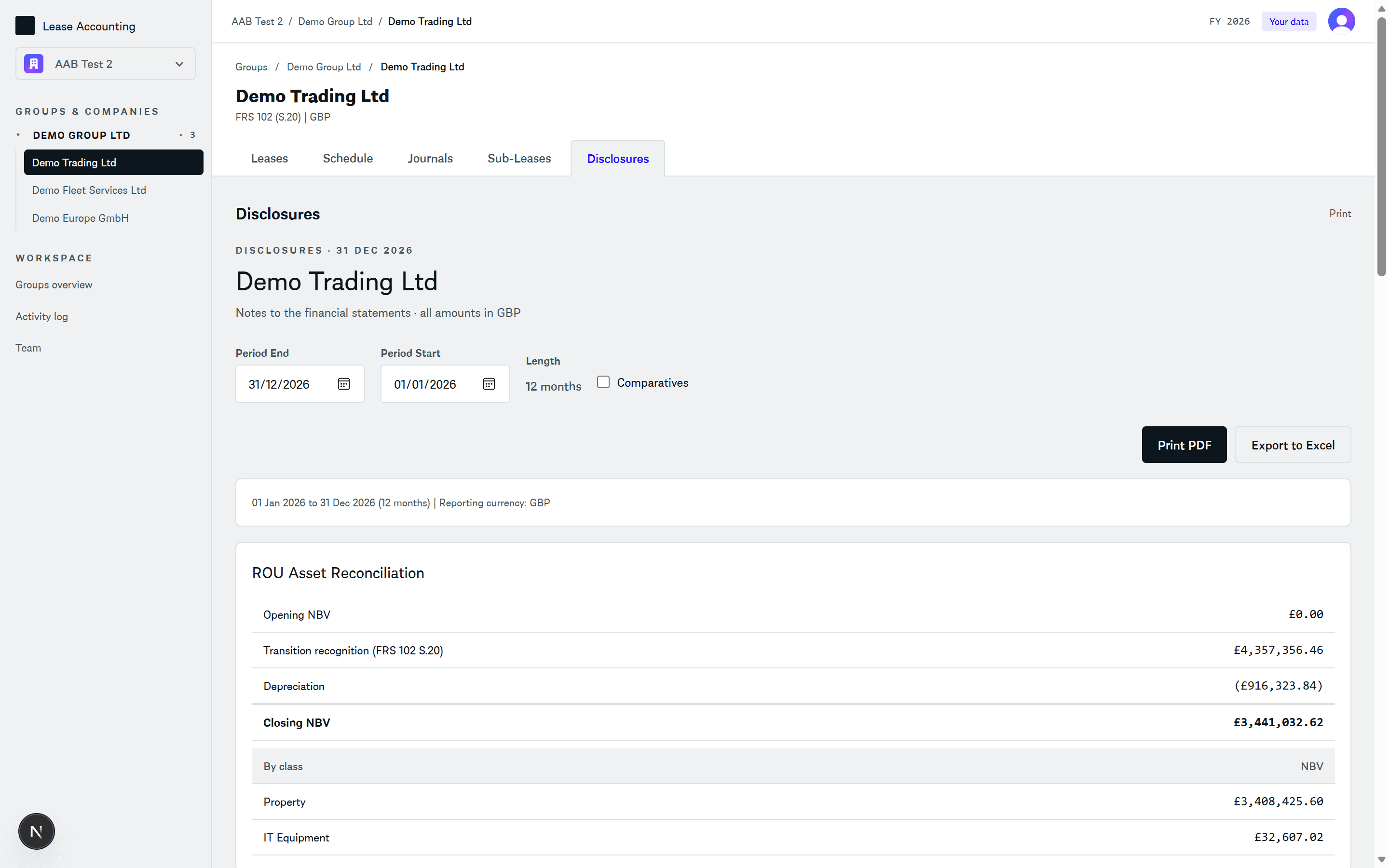
Drop-in tables for the annual report.
Maturity analysis by undiscounted bucket with a discounting line. Lease liability reconciliation from opening to closing, split by additions, interest, payments, modifications, disposals, and FX. ROU asset rollforward by class. P&L breakdown including short-term and low-value expense.
FRS 102 Section 20 transition impact appears as its own table, with the cumulative adjustment to retained earnings. Export the whole pack to Excel.
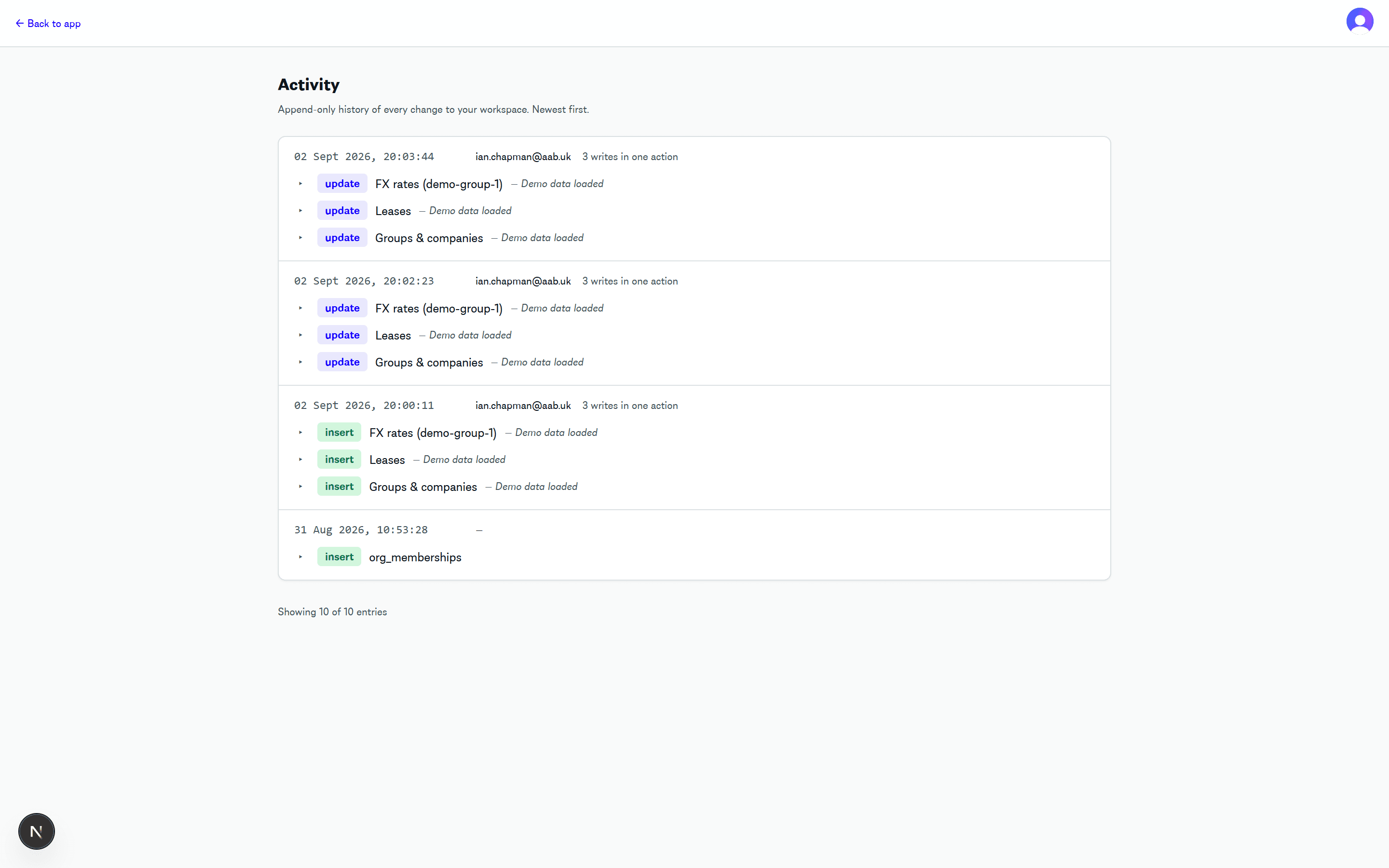
Append-only history of every change.
Every write — groups, companies, leases, FX rates, team membership, period-lock overrides — lands in the activity log with timestamp, user, and optional change reason. Writes from a single save operation group into one entry so the log stays readable.
Perfect for external auditors: invite them as viewer-role members and point them at /activity.
Want to try it with your own leases?
Access is provided as part of our advisory engagements — talk to your AAB engagement contact to get set up. Once you're in, load the sample data in one click or import your own portfolio from CSV.
Sign in